Custom Silver Chrome Stickers


Simply enter the size of your sticker, choose your shape, pick the quantity you'd like and upload your artwork. It's that easy...
Artwork check list
Preparing Your Artwork for Sticker Printing
Want your stickers to come out looking proper? Here’s what we need from you when you send over your artwork:
1. Size it right
Set your file to the exact finished size of your sticker (e.g. 7.5cm x 7.5cm).
2. Resolution
Go with 300 DPI. Anything lower will look soft or pixelated once printed.
3. Colour mode
Work in CMYK. RGB is for screens, not print, so colours won’t match properly otherwise.
4. Bleed
Add at least 3mm bleed on all sides. This stops any unwanted white edges after trimming.
5. Safe zone
Keep text, logos and anything important at least 3mm inside the cut line, so nothing gets chopped off.
6. Fonts
Convert all text to outlines/curves. That way we don’t need your font files.
7. File formats
We accept:
Vector files (AI, PDF, EPS) – best for logos and graphics
High-res raster files (PSD, TIFF, JPEG, PNG with transparency) – good for photos or detailed designs
8. Cut line (for custom shapes)
If you want a custom die-cut shape, add a separate cut line layer. Mark it in 100% magenta or use our templates.
9. Double check before sending
Make sure:
- Spelling is correct
- Colours are in CMYK
- Images still look sharp when zoomed in
10. Sending files
Send us a PDF, AI, or EPS with fonts outlined and layers intact. For simpler shapes, a high-res PNG works too.
Good to know:
Each order includes up to 5 different artworks as standard. If you need more than that, you’ll need to place an extra order.
White layer setup
Want your colours to come out solid and bold? Add a white base under those parts of the design.
Want the material to show through for a transparent or shiny effect? Leave the white layer off and the ink will print straight onto the sticker material.
Think of the white layer as a base coat. Add it where you need opacity, skip it where you want the effect to shine through.
1. Decide on the finish
- Solid and opaque = add white.
- Transparent/effect showing = no white.
2. Create a new layer
- Call it “White Layer”.
- Put it just below your artwork layer.
3. Mark the areas
- Fill the shapes where you want white with a solid colour.
- Set it as a spot colour named “White.”
4. Check it over
- With white = bold, opaque colour.
- Without white = see-through or material showing.
5. Save and send
- Export with the white layer intact (AI, PDF, or EPS recommended).
Turnaround and delivery
Standard turnaround:
3 to 5 working days from when I receive your final artwork.
Working to a deadline?
Email me at Jay@tackyandupsetting.com before placing your order. That way I can confirm if it’s doable and avoid any mix-ups.
Need a specific delivery estimate?
Just get in touch, I’ll always do my best to work to your timeline.
What Are Silver Chrome Stickers?
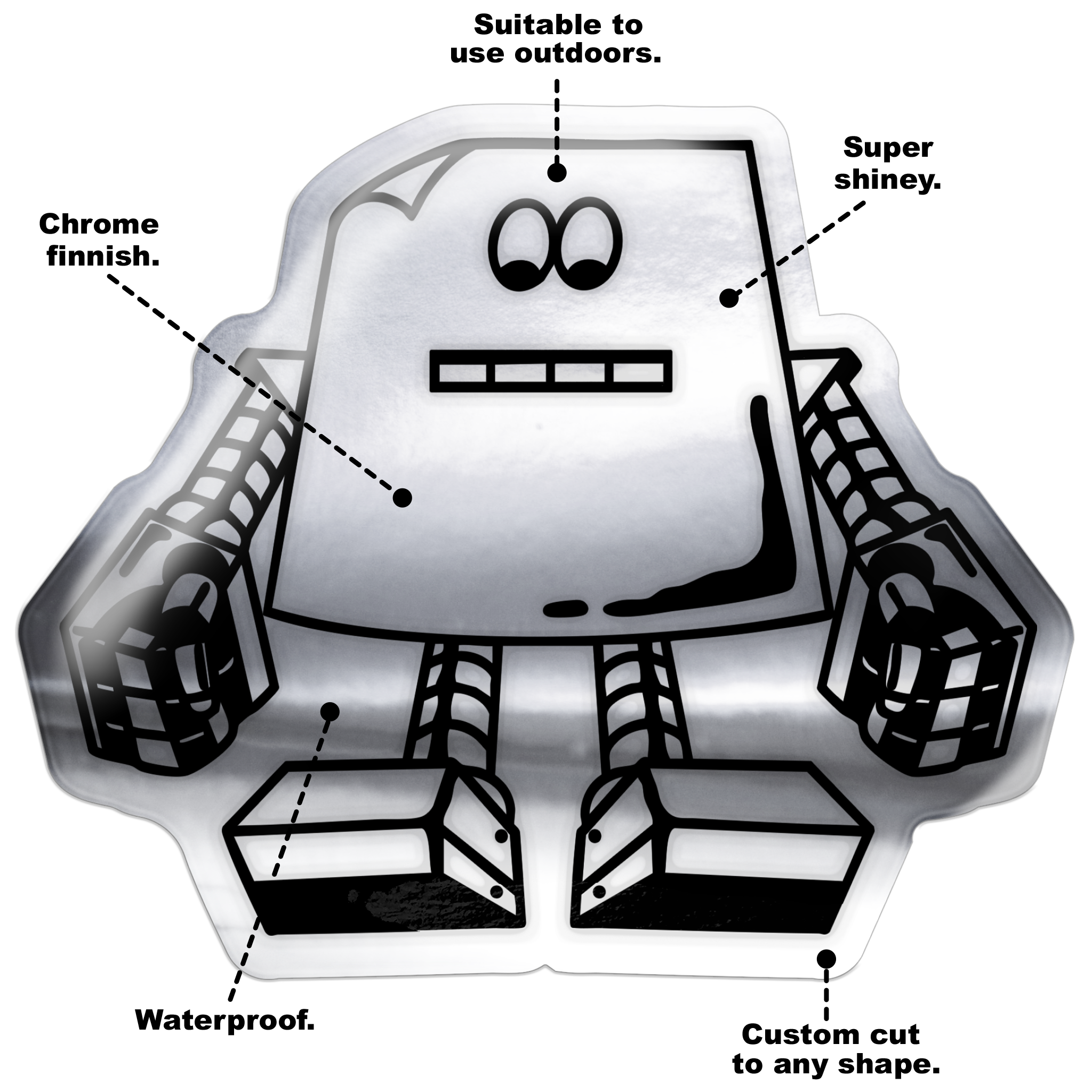
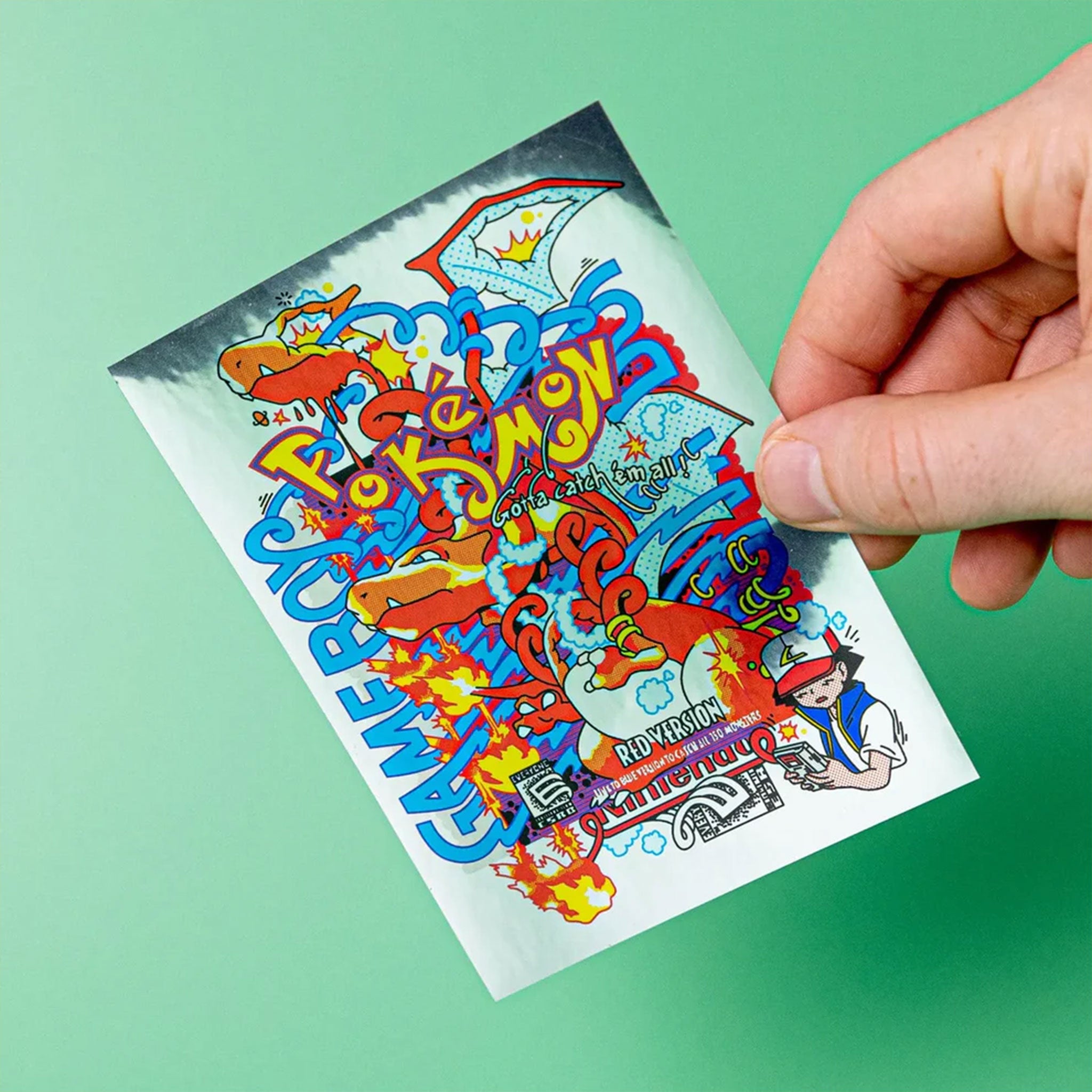
Silver Chrome Stickers are custom printed vinyl stickers with a shiny, mirror-like silver surface. Unlike standard white vinyl, the metallic material becomes part of your design, allowing you to create reflective backgrounds, silver details and metallic-looking colours.
By using white ink beneath selected areas, we can combine the chrome effect with solid, opaque colours in the same design. They're a great choice for illustrations, logos, lettering and packaging where you want something a little different from an ordinary printed sticker.
What makes Silver Chrome Stickers different from standard vinyl or holographic stickers?
Silver Chrome Stickers have a reflective, mirror-like silver finish, rather than the solid background of standard white vinyl.
Unlike holographic stickers, which produce a rainbow effect as they catch the light, silver chrome has a metallic silver appearance. Both materials can be printed in full colour, but they create quite different results.
Can you print full colour on Silver Chrome Stickers?
Yes, we can print full-colour artwork directly onto silver chrome vinyl. Colours printed without white ink underneath can take on a metallic appearance as the reflective material shows through.
For colours that need to look solid and opaque, we print a white ink layer beneath them. This gives you plenty of flexibility when designing your stickers.
Can I choose which parts of my sticker have the silver chrome effect?
Yes, you can choose exactly where the metallic silver finish appears in your design. We use white ink beneath the areas you want to appear solid, while leaving it off areas where you want the chrome effect to show through.
You can also leave parts of the silver vinyl completely unprinted for a mirror-like finish.
What happens if I don't supply a white ink layer?
If you don't provide a white ink layer, we'll automatically add white behind your artwork so your printed colours appear solid and opaque.
If you'd prefer certain colours or details to have a metallic appearance, you can supply your own white ink layer or let us know which areas you'd like to remain reflective.
Can I combine solid colours, white ink and silver chrome in one design?
Absolutely. You can combine solid printed colours, white-only elements and exposed silver chrome within the same sticker.
For example, you could have a reflective silver background, opaque coloured illustrations and solid white lettering. Using a separate white ink layer allows us to control which areas remain metallic and which appear as ordinary printed colours.
Are Silver Chrome Stickers waterproof and suitable for outdoor use?
Yes, our Silver Chrome Stickers are waterproof and suitable for both indoor and outdoor use. They're printed on vinyl and finished with a protective gloss laminate.
As with any printed sticker, prolonged exposure to sunlight, weather and general wear can affect its appearance over time. We don't specify a fixed outdoor lifespan for this material.
Do Silver Chrome Stickers have a gloss or matte finish?
Our Silver Chrome Stickers are available with a gloss laminate only. This complements the reflective silver material and helps maintain its shiny, mirror-like appearance.
We don't currently offer a matte finish for this product, so if you're looking for a flatter, less reflective appearance, another sticker material may be more suitable.
How are Silver Chrome Stickers cut and supplied?
Our Silver Chrome Stickers are supplied individually, with each sticker cut to your chosen shape rather than arranged on a sheet.
You can choose a standard shape or have your stickers cut to follow the outline of your artwork. If you'd prefer multiple peelable stickers arranged together on a single sheet, take a look at our Silver Chrome Sticker Sheets.